How Do I Choose the Right Bursting Machine for My Print Shop?
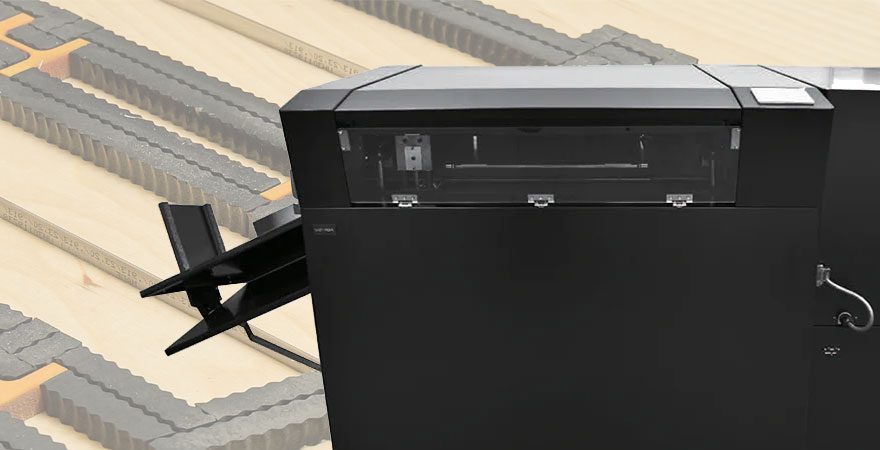
How do I choose the right bursting machine for my shop?
In this series of posts, “How do I choose?”, we will help you take a little of the guesswork out of selecting the best print finish product for your shop or office. It’s sometimes difficult to find the right machine to fit your needs when there are so many models.
An industrial grade form burster is essential to print shops who specialize in mailing or mail houses that have added digital printing to the mix. The ability to take on accounts with customers who do high-volume invoicing, grade reporting, or other applications where multiple forms are printed on one page.
First, know what your forms are printed on – cut sheet or tractor-feed paper? This is obvious, but knowing your limitations with the type of sheet you print on, could prompt you to make some other changes. Cut sheet forms have some flexibility in what type of machine they’re printed on in the first place, but you’ll find fewer errors in pagination and more options in burster machines for tractor-feed forms. For example, Lloyd’s has two table-top, and one high-volume cut sheet burster, but ten varieties of tractor-feed models.
The next crucial step in your comparison would be the speed at which your burster will operate. In the tractor feed category, the Low-Volume Series of Formax Bursters processes at speeds of 0 to 200 feet per minute. The Medium-Volume Series processes at speeds of 15 to 350 feet per minute and is capable of handling forms up to 17” long. The High-Volume Series operates at speeds up to 500 feet per minute. Your shops capacity for big jobs and happy customers is only limited by how much you can run efficiently in a day.
Also, consider the flexibility of you need in a machine. Do you need the ability to accommodate a longer form length? Do you need an imprinter add-on? A counter for audit purposes? Don’t just think about the here and now. Your business is growing. Giving your sales reps the more options to sell in the market place will keep your machines running more often and the profits will be … bursting your expectations.
If you have questions about the capability of any of Lloyd’s bursting machine models, feel free to contact us.
How Do I Choose the Right Binding Machine for My Print Shop?
In this series of posts, “How do I choose?”, we will help you take a little of the guesswork out of selecting the best print finish product for your print shop or office. It’s sometimes difficult to find the right machine to fit your needs when there are so many models.
It all has to come together sometime. All those pages in the presentation, the employee manual, the book, the instructional guide, the schematics… They’ve all got to have some sort of binding to meet the customers budget, the readers needs and a style that looks good. But, what kind of binding machine do you need?
Well, the answer to this one is a little trickier. You may even want more than one machine. First you need to determine the type of binding that you think you’ll use most often.
- Comb binders – cheap, effective. Plus, combs can be opened to add/subtract sheets.
- Coil/Wire binders – Comes in a variety of colors and materials. Allows the reader to lay the book open flat and turn pages a full 360-degrees.
- Unibind binding machine – Quick, slick and permanent. A steel spine at the back of the cover allows the paper edges to sink into a heated resin.
- Perfect bound machines – Most paperback books at your local retailer are bound with this method. It’s glue-based and leaves a nice sturdy spine.
Once you’ve chosen a couple binding methods that you’d like to offer at your shop, consider flexibility, speed and cost.
You’ll certainly find flexibility with a combo system. A single purchase will allow you to do both comb, wire or coil (depending on the machine). However, keep size in mind. With comb or coil systems, you may not want to limit yourself to standard 8 1/2″ x 11″, so investigate the machines that can accommodate 14″ or 17″ sheets. Speed is affected by manual or automatic operation and the number of sheets that can be punched at one time.
The most crucial consideration however, is the question of cost. What you can sell and what your customers are willing to pay for may limit your choices. A perfect binding system is expensive initially, but costs little in upkeep. The Unibind thermal system itself is inexpensive considering the nice end product, but supplies are comparitatvily high, per piece. So, remember not to merely look at the machinery that makes the binding happen. Look at the plastics and metals that make up the binding.
How Do I Choose the Right Paper Cutter for My Office?
In this series of posts, “How do I choose?”, we will help you take a little of the guesswork out of selecting the best print finish product for your shop or office. It’s sometimes difficult to find the right machine to fit your needs when there are so many models.
What are you cutting at the office? Yes, I know someone has to cut the cake for the secretary’s birthday, but that’s not what I mean. It seems we all end up doing some sort of paper crafts once and a while. Trimming down those photos for the traveling exhibit, cutting out stacks of pamphlets to fill the marketing rack in the reception area, slicing up that spreadsheet that mistakenly printed on the ginormous paper in the bottom drawer.
Every office needs a paper cutter, the only question is, which one?
Paper cutters basically come in two flavors these days – Guillotine and Rotary. Like many other items in this series of posts, you need to consider volume and speed. But, you also need to take into consideration the safety of your staff and how accurate cuts need to be.
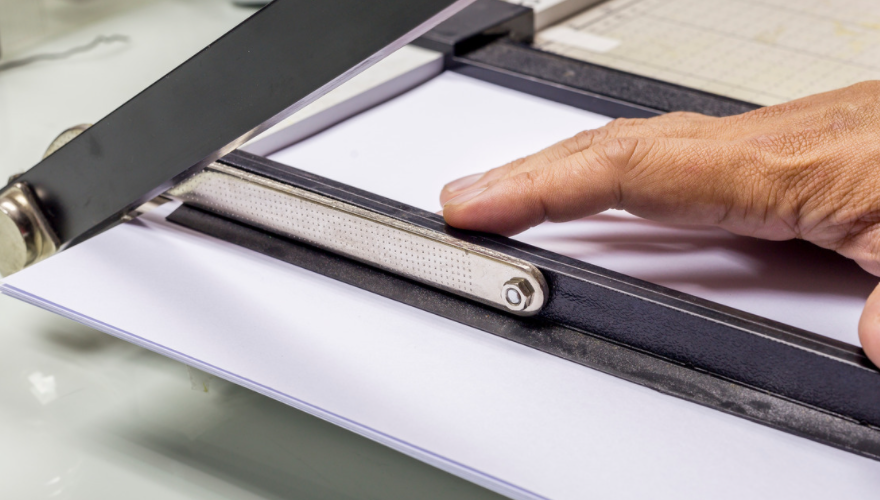
Guillotine paper cutters are commonly found in offices. They’re sharp, can cut through multiple sheets with ease, and there are some great measurement guides on the working surface. Multiple sheets at a time speaks to the volume necessity, but often works against accuracy. The clamps and lockable gauges of the Kutrimmer tabletop trimmer assist with accuracy, but its most impressive additions are safety features. Different models of guillotine cutters basically allow for larger sheets and more working space.
The most accurate cuts will always be made with Rotary cutters. My personal fav is sold at Lloyd’s. The Roll-Blade rotary trimmer not only has great measurement guides and a self-sharpening tungsten blade, but it also cuts through cardboard and some plastic with just as much accuracy a it does with paper. And, unless you’re really trying, it’s virtually impossible to cut yourself with this rotary.
How Do I Choose the Right Corner Rounder for My Print Shop?
In this series of posts, “How do I choose?”, we will help you take a little of the guesswork out of selecting the best print finish product for your shop or office. It’s sometimes difficult to find the right machine to fit your needs when there are so many models.
For example, Lloyd’s has nine different round corner machines. There are options and add-ons for some, and others are simply manual. In each purchase you make, you should consider the following as it relates to your business’s operation.
Corner rounders are pretty simple machines. They basically make measured cuts on the corner of your printed sheets. This finishing method has always been popular, but more-so in recent years as print products mimic the style of online communications. It’s not often that you see an icon or a photo online with squared-off corners.
So, let’s look at application first. Are you printing posters or business cards? Are you printing on heavy or standard stock? The size alone may rule out a manual table-top rounder, so be sure to look at the table dimensions. And, heavy stock may require the power an automatic can provide – which also puts you over $1,000. If you’d like the option to cut through metal for signage production, you’ll need a specific machine.
For rounders I think quantity and speed necessary can be measured by the capacity of sheets you can feed the machine at one time (in inches). A rounder in the hobby category may only accept a few sheets at a time with a .04″ clearance, but commercial medium and heavy-duty rounders will allow an inch or more to be cut. Thicker cut, means you’ll be moving through projects faster. Do you think your capacity will grow or remain the same? Choose a model for 2 years down the road, rather than one you need today, because your needs will hopefully grow once you add this machine.
The frequency of your use will require replacement cutting dies, so the availability and cost of these parts should also be a consideration. You’ll also want to investigate the variety of blade sizes and designs available for a particular model as well. A wide variety of cutting options will also add to your flexibility and options for the customer.
Finally, consider maintenance. All Lloyd’s corner rounders come with a year warranty, but looking beyond this time frame consider your potential frequency of use and the availability of replacement parts.
To check out Lloyd’s selection of corner rounders and compare models, visit our website.
MBM Bookletmaker Jr. Semi-Automatic Bookletmaker
This is not your average semi-automatic weapon. The MBM Bookletmaker Jr. has a deadly combination of features combined with a nice price. If you’re often making booklets 40 pages or less in your office and you’re looking for a quick way to process in-house rather than outsourcing, this little guy is for you.
How is it Used?
The Bookletmaker Jr. Semi-Automatic Bookletmaker is an entry-level machine with space saving, compact design. The automatic paper centering, dual staple heads and fold rollers add to the speed of use, helping you crank out up to 250 sets an hour. It takes standard sizes (8 1/2″ x 11″ to 11″ x 17″) and you don’t have to go to the shooting range to practice.?
And How Much Does it Cost
The MBM Bookletmaker Jr. Semi-Automatic Bookletmaker is $809 at Lloyd’s. We’ll throw in free shipping and a gift with your purchase.